Blue Tiefpunkt SeaLog™ helps mariners record, organize, and export OUPV sea service with confidence — from first trip to final application-ready report.
Learn how easily SeaLog can record your sea time or import your existing record.


Developed by a boater and marine professional who understands the realities of building a credentialed sea service record.
Features
Capture every trip or import your record.
Organize your time by vessel.
Edit, verify, and complete every trip.


Export and secure your data.
Generate sea service reports with confidence.
Track your route. Validate your time.
SeaLog Subscription Options
SeaLog Free
Start logging sea time today with powerful tools that remain free forever.
$0.00 / yr
- Unlimited trip logging
- Vessel management
- Qualified day tracking
- Sea-time calculations
- GPS trip validation
- Trip history review
- Service record organization
- Multi-vessel support
- Route category tracking
- Inland/near coastal logging
- Great Lakes service tracking
- Attestation record management
- CSV import/export
- Backup and restore
- Trip summary statistics
- OUPV preparation tools
- Historical record imports
SeaLog Pro
Unlock advanced reporting and export features for professional recordkeeping and application support.
$99.99 / yr
- Sea service PDF report packet
- KMZ exports of logged trips
- GPX exports to chartplotters
SeaLog Pro subscriptions support marine conservation in partnership with the Coastal Conservation Association.
Download the app and purchase your subscription there.
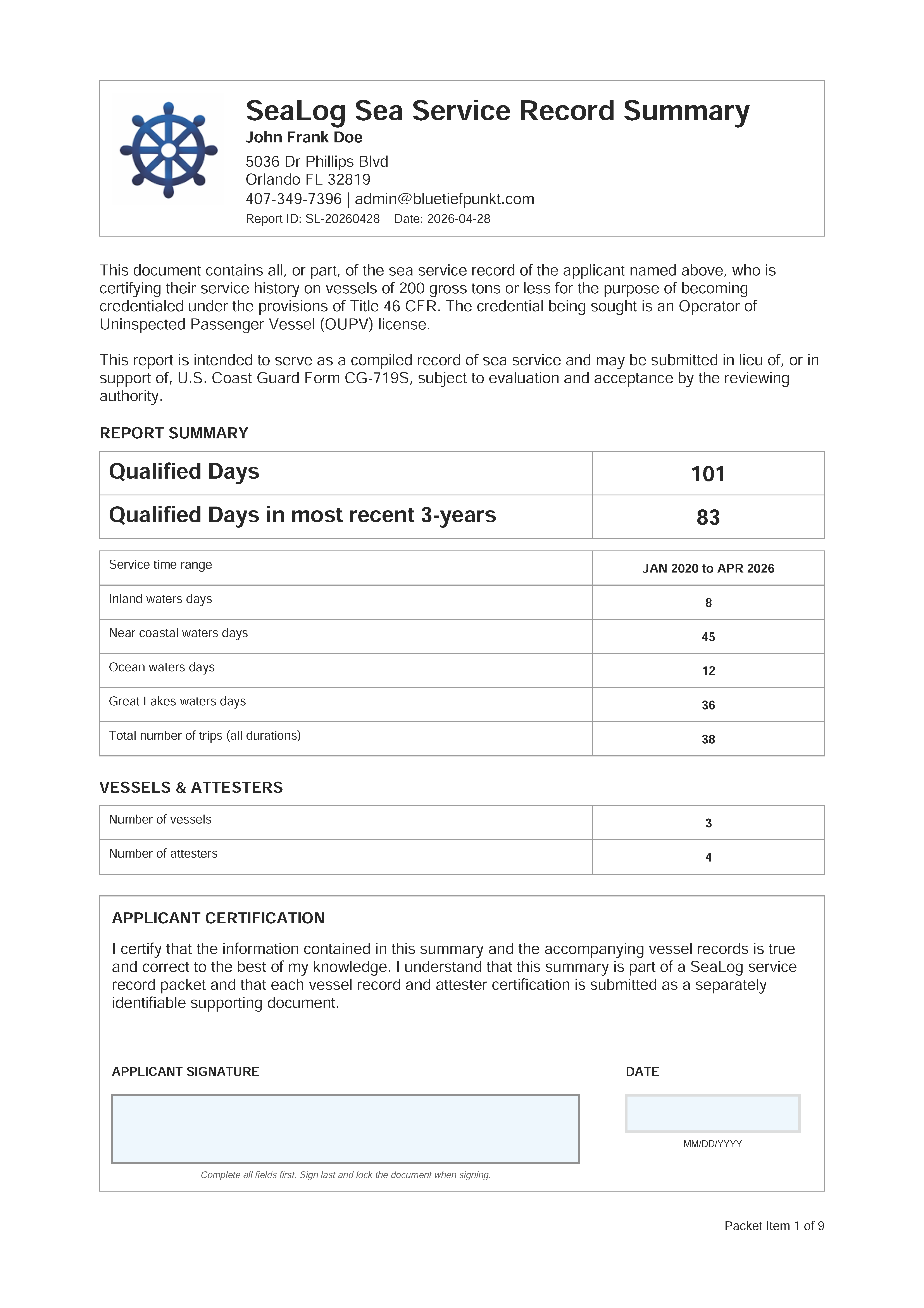
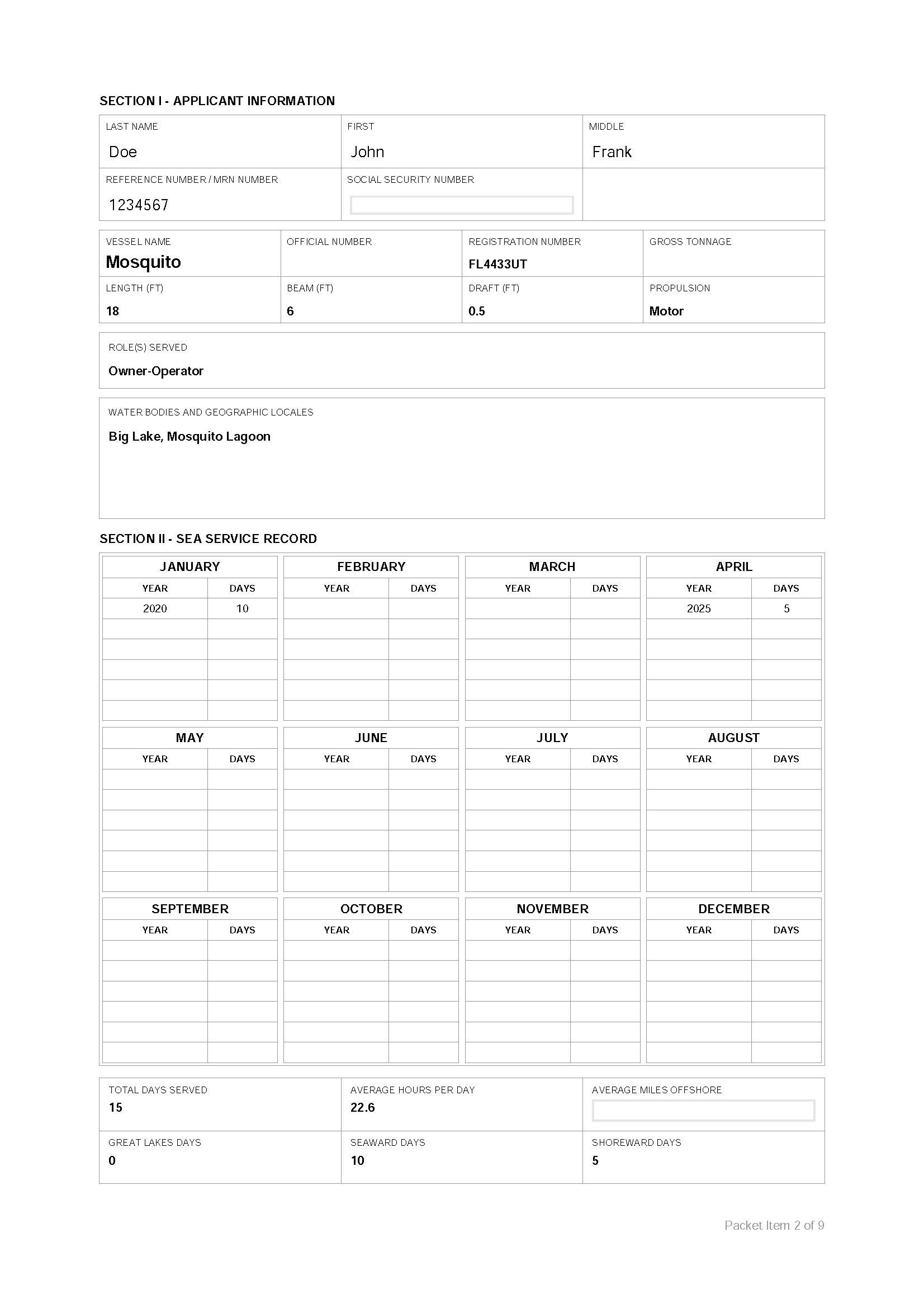
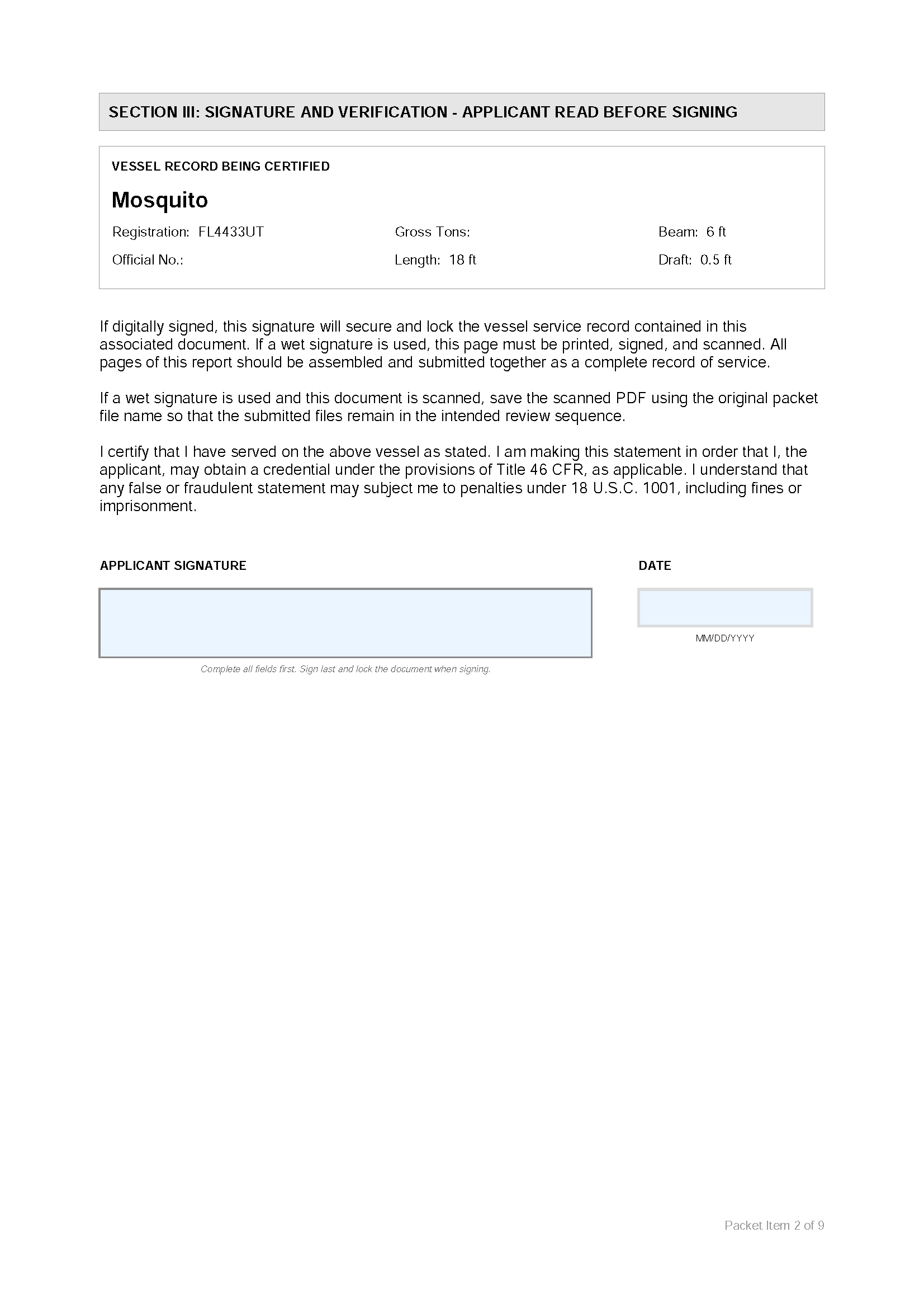
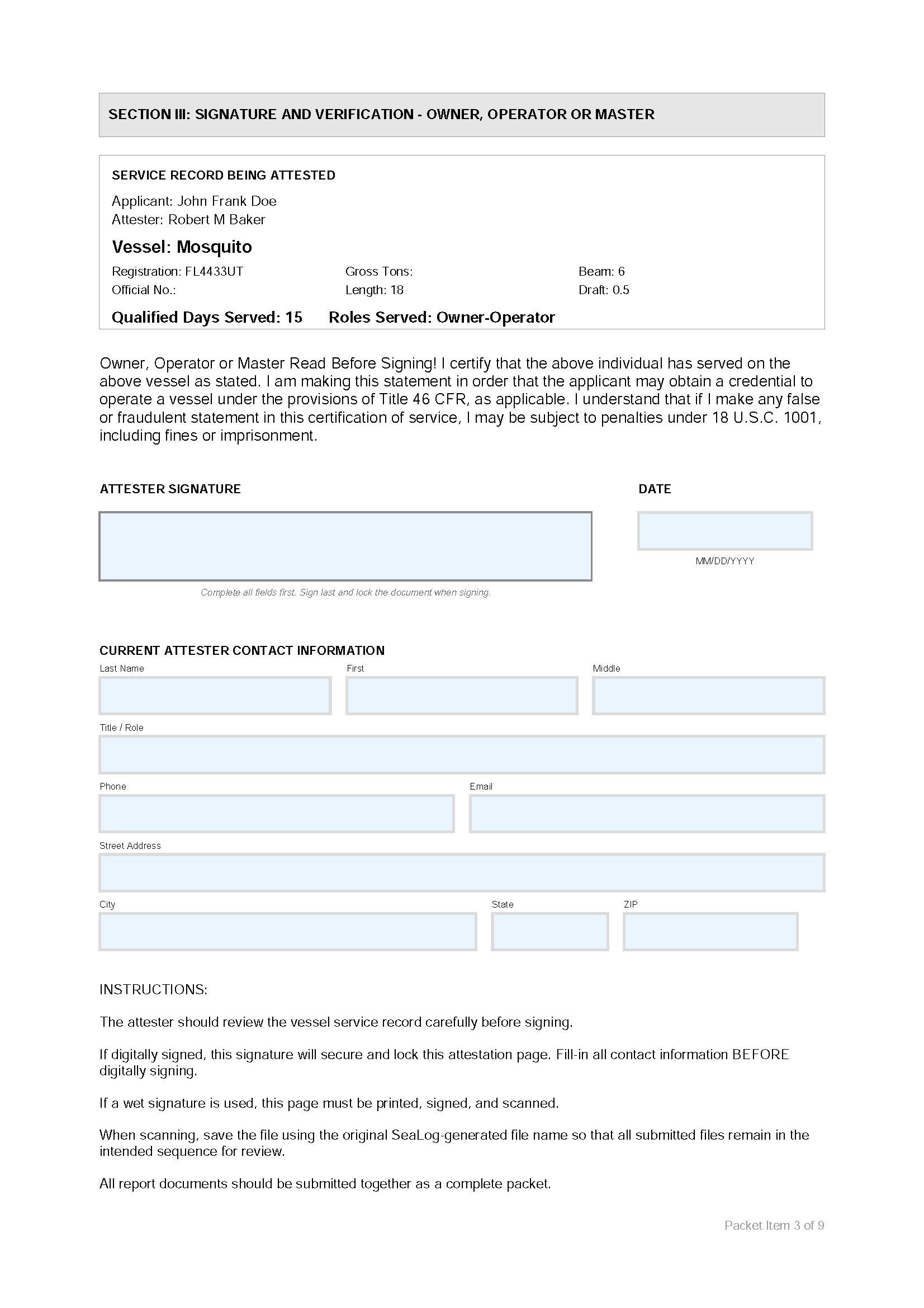
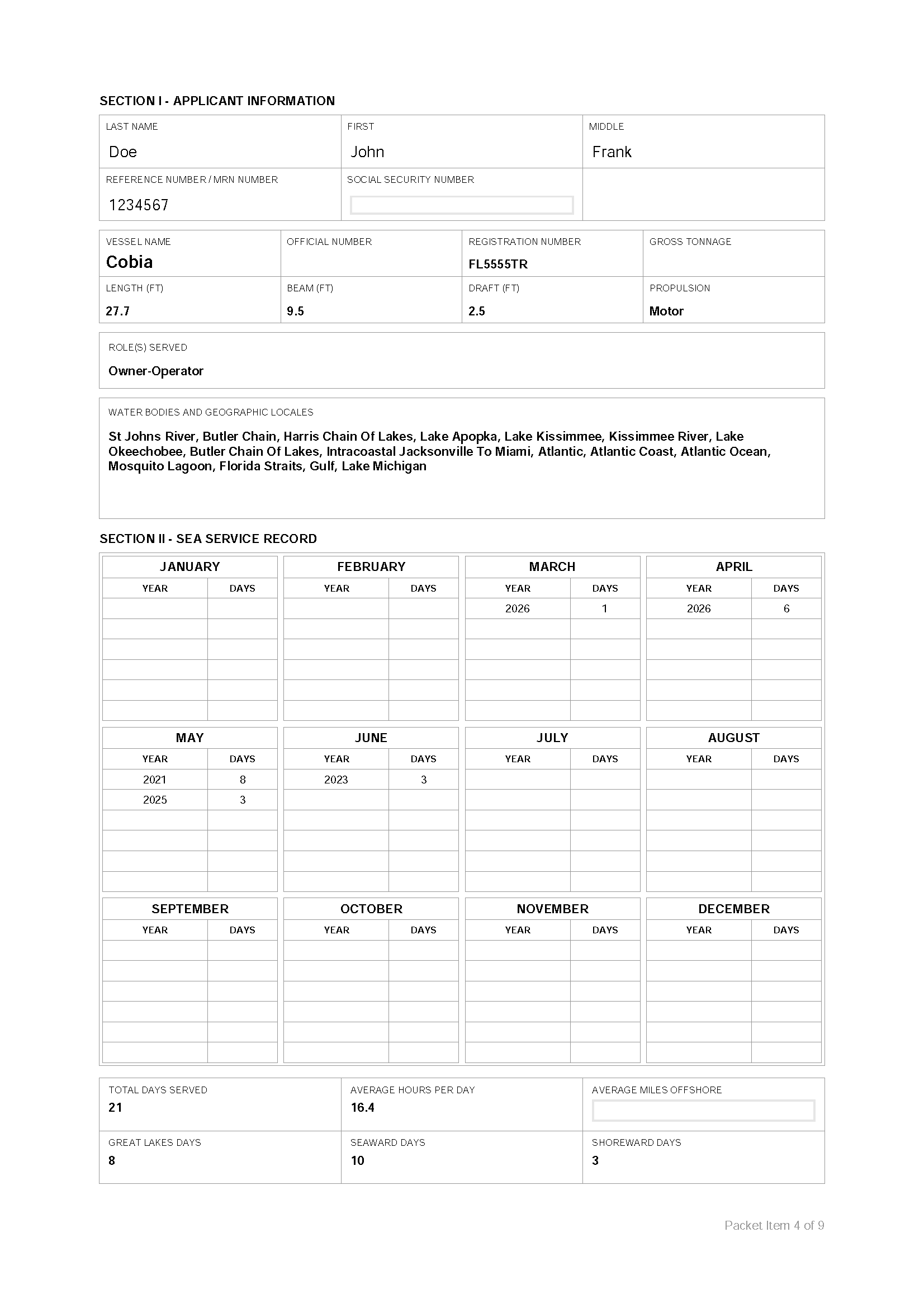
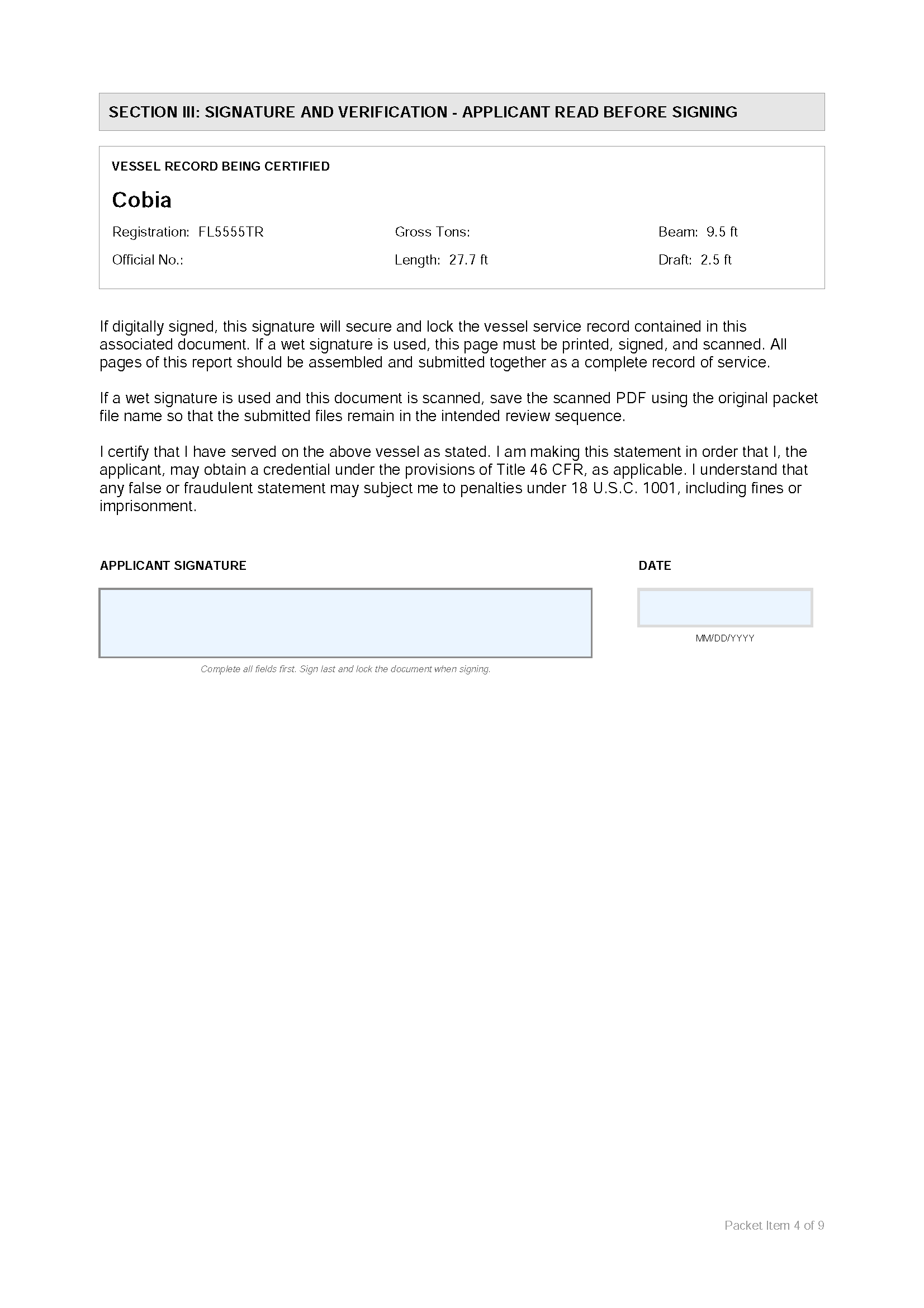
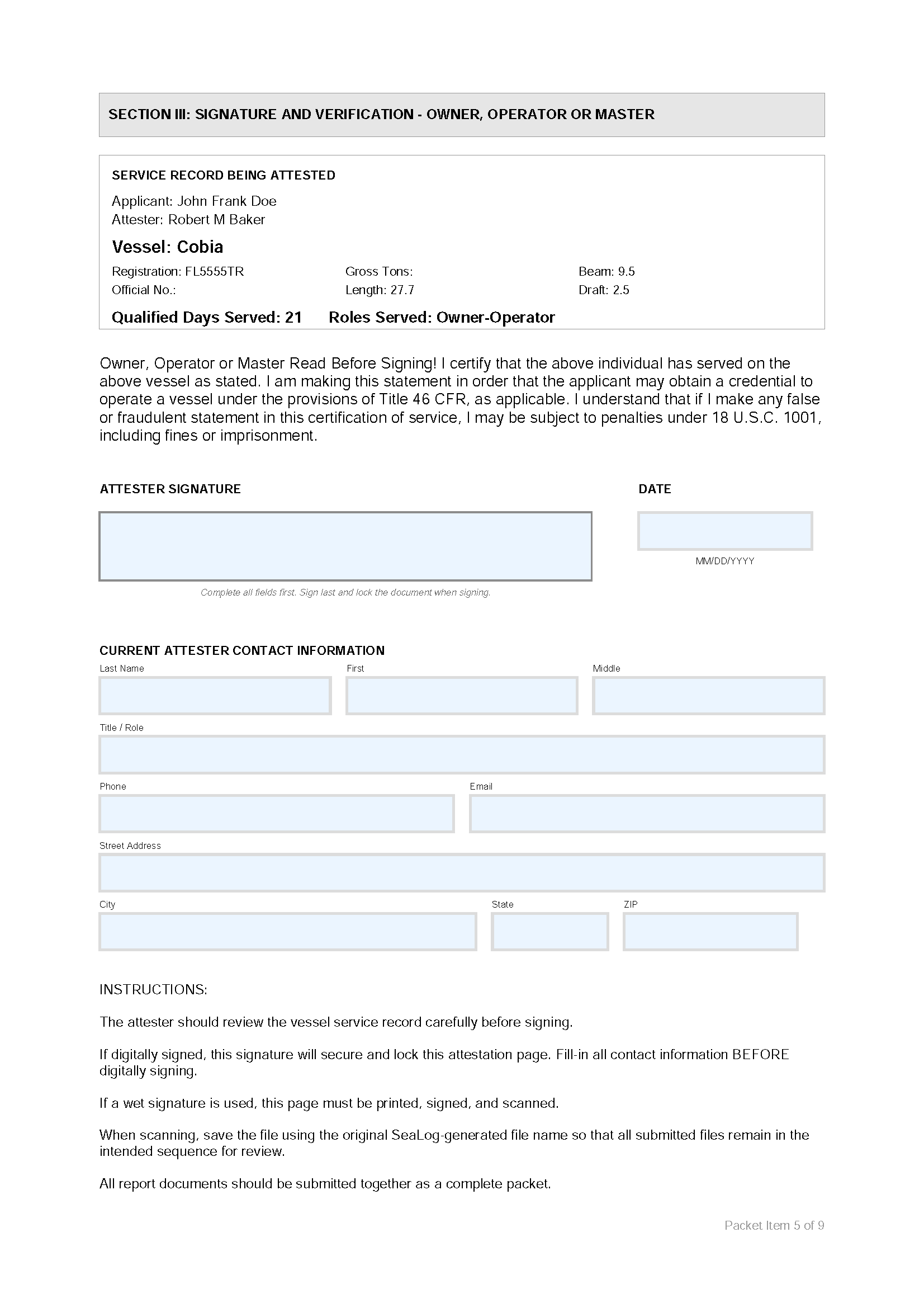
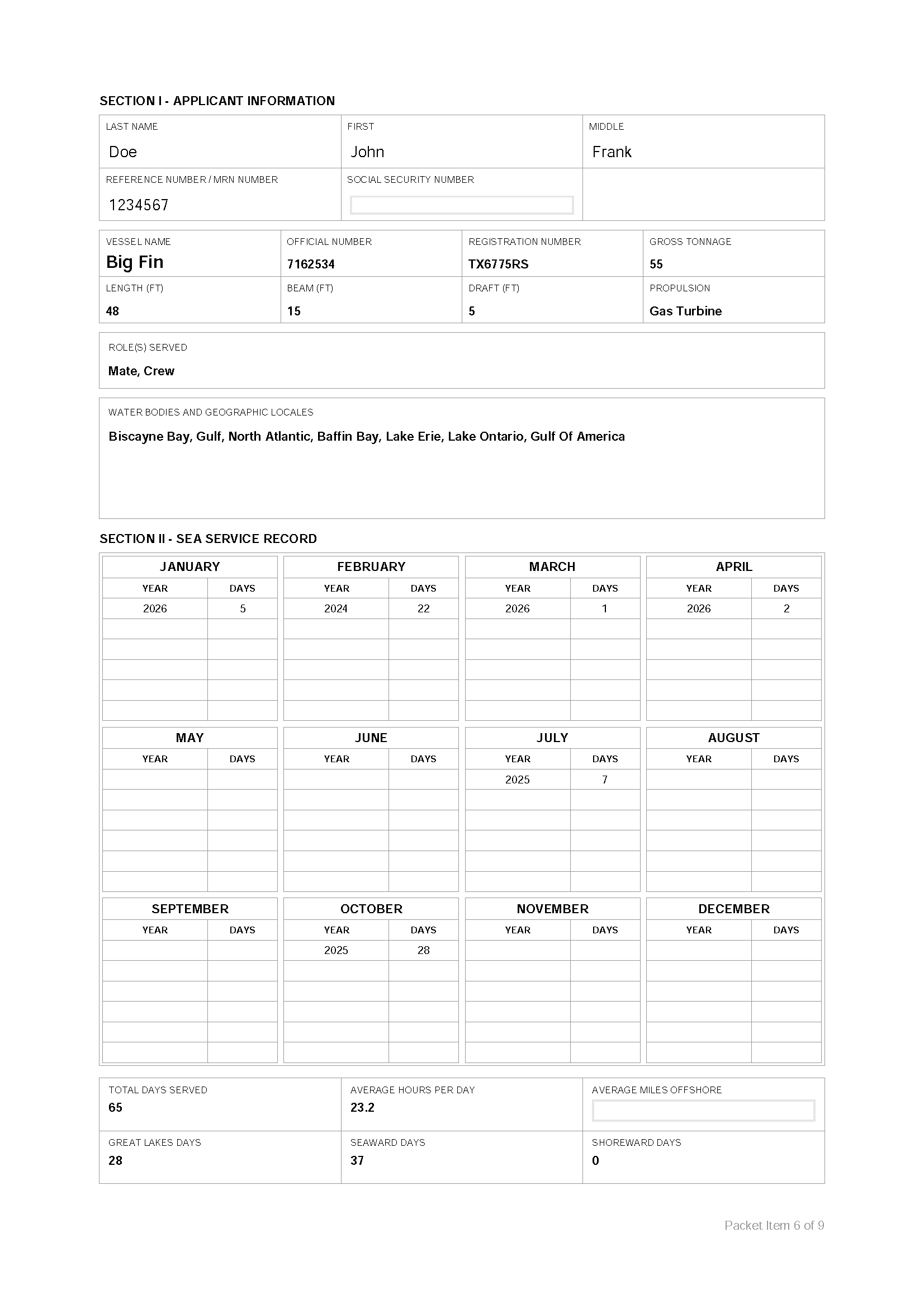
Example Sea Service Report by SeaLog
In Blue Tiefpunkt SeaLog™ the details matter.......so we are giving you a lot of details.
Use SeaLog to automatically generate dynamic reports that precisely present your complex sea service record.


$PRO Purchase a subscription to access premium exports.
Keep track of your sea service stats and endorsement progress.
Import a CSV file with your existing record and incorporate it into SeaLog.
Set up vessels and create a default that you will use regularly.
View, edit and export every trip in your record.
Delete all content in SeaLog and start over (use wisely!)
Track your progress toward the OUPV sea time threshold.
Start recording your time underway. Record a live trip and use the GPS data for validation.
Keep track of your sea service stats and endorsement progress.

You need 90 days for a near coastal waters endorsement.
You need 90 days for a Great Lakes waters endorsement.
The home screen shows the 3 most recent trips with the "Qualified" status in green if the trip met the USCG standard.
Every trip has USCG information requirements needed to prepare your reports and complete your record. Incomplete trip records will have a black "Missing Info" status.
Not every trip can be counted, and some will be shown in red with an "Under Threshold" status. Every trip can be edited if the SeaLog live record does not reflect your actual time served.

D
A
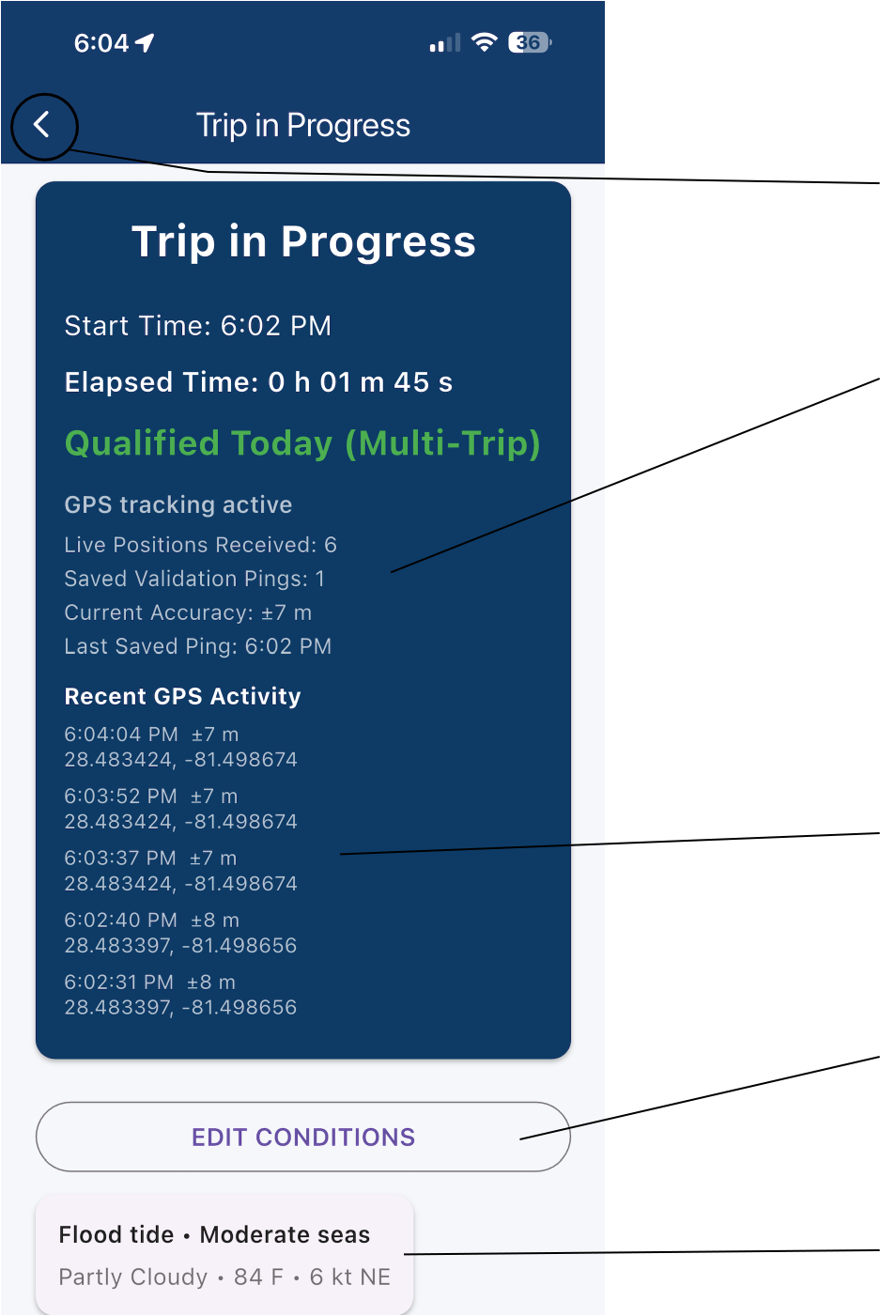
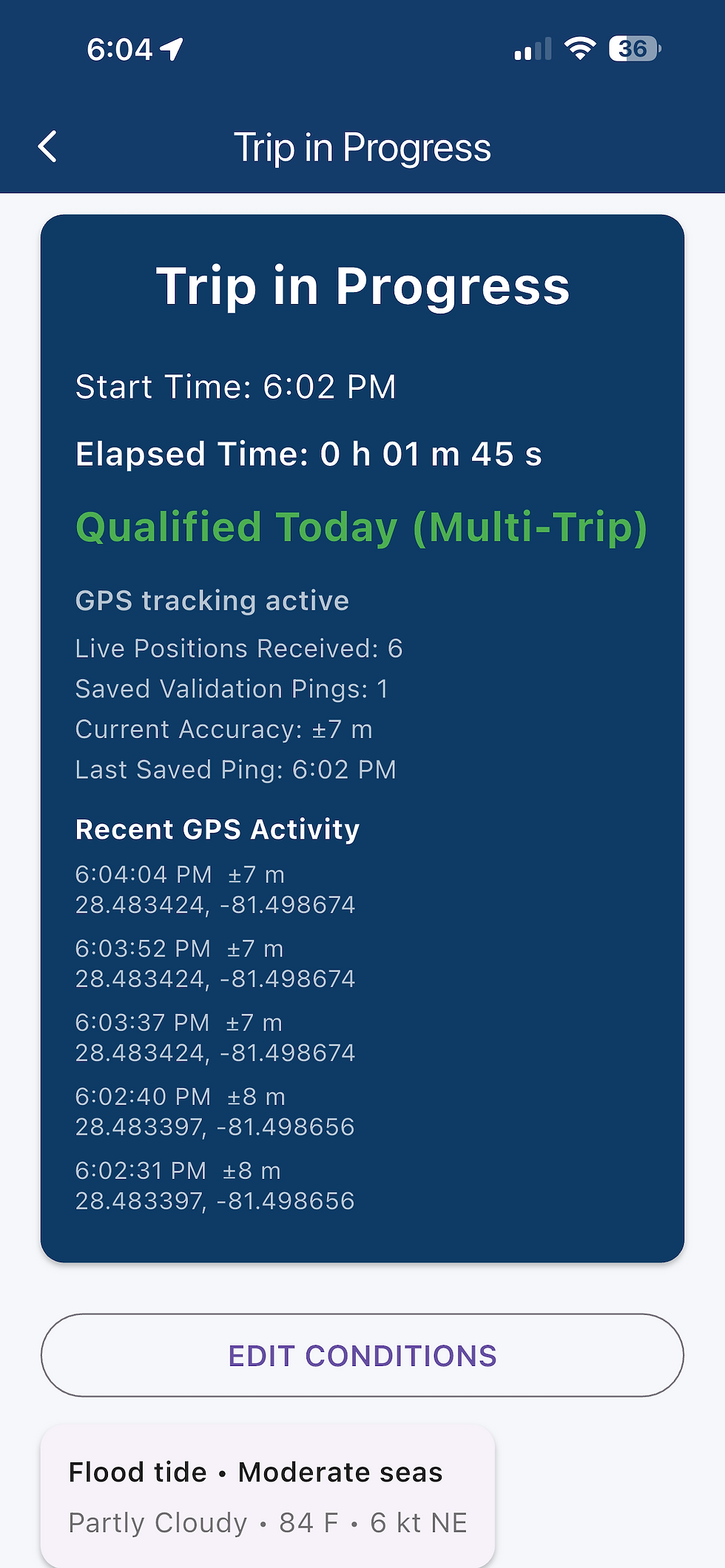
Navigation away from a trip-in-progress requires ending the trip. You can swipe the app to the background or lock your device, and the trip will be there when you return.
When you allow GPS tracking the ping record will grow with the length of your trip. The GPS data empowers CSV, GPX, and KMZ exports that support validation of your record.
Live Positions will stream actively through this list.
Capture or edit conditions relevant to the trip.
Review the captured conditions.


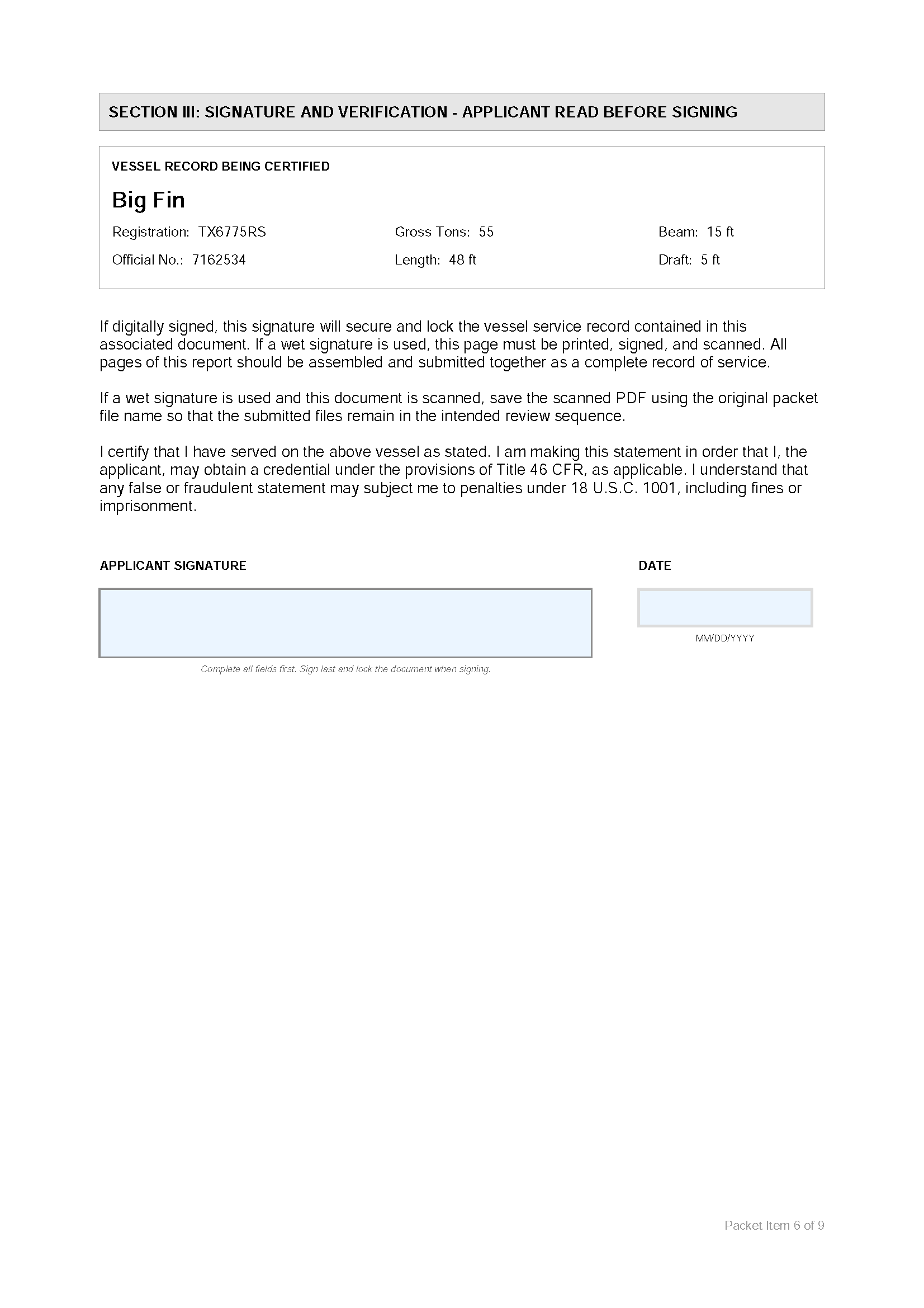
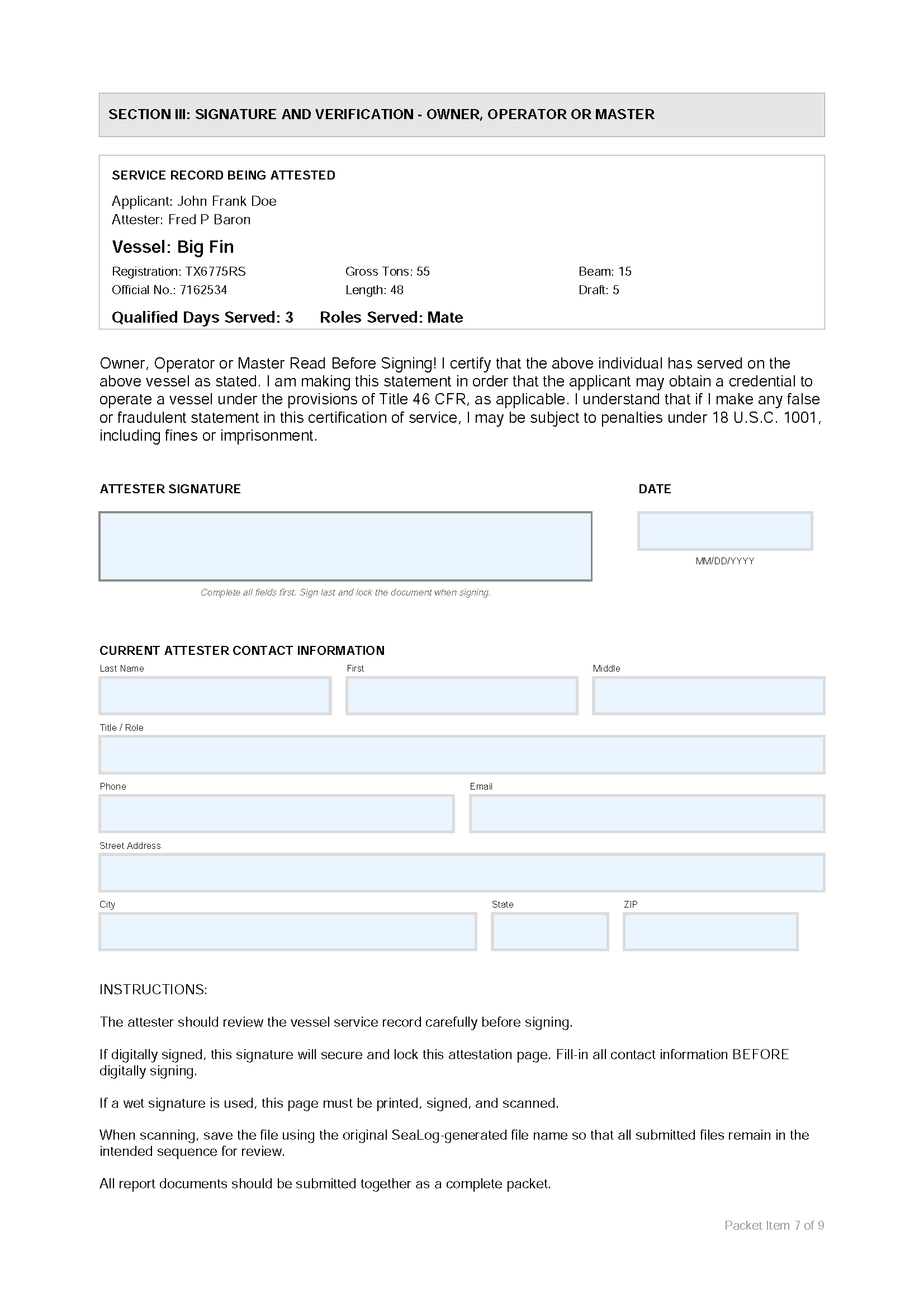
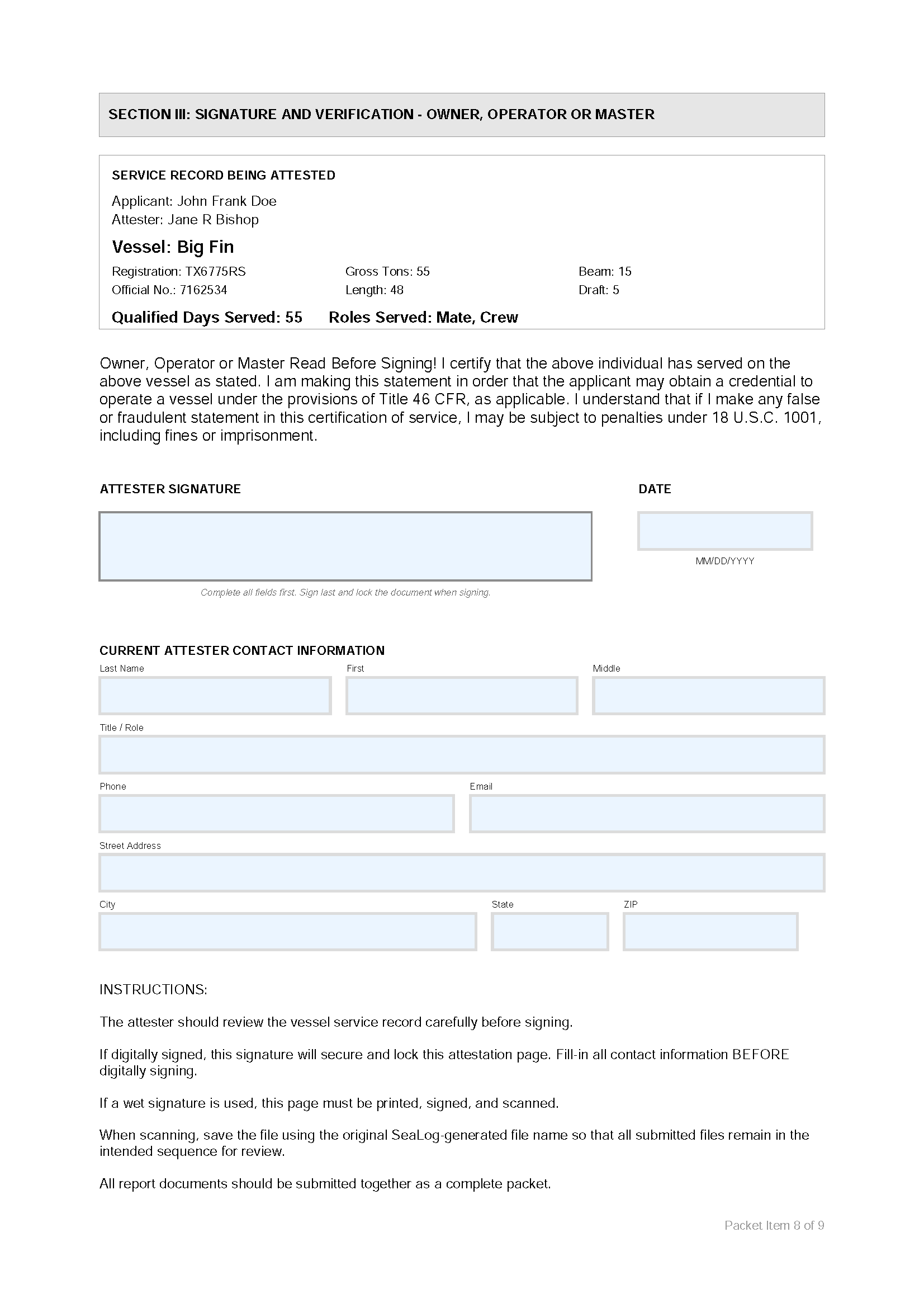
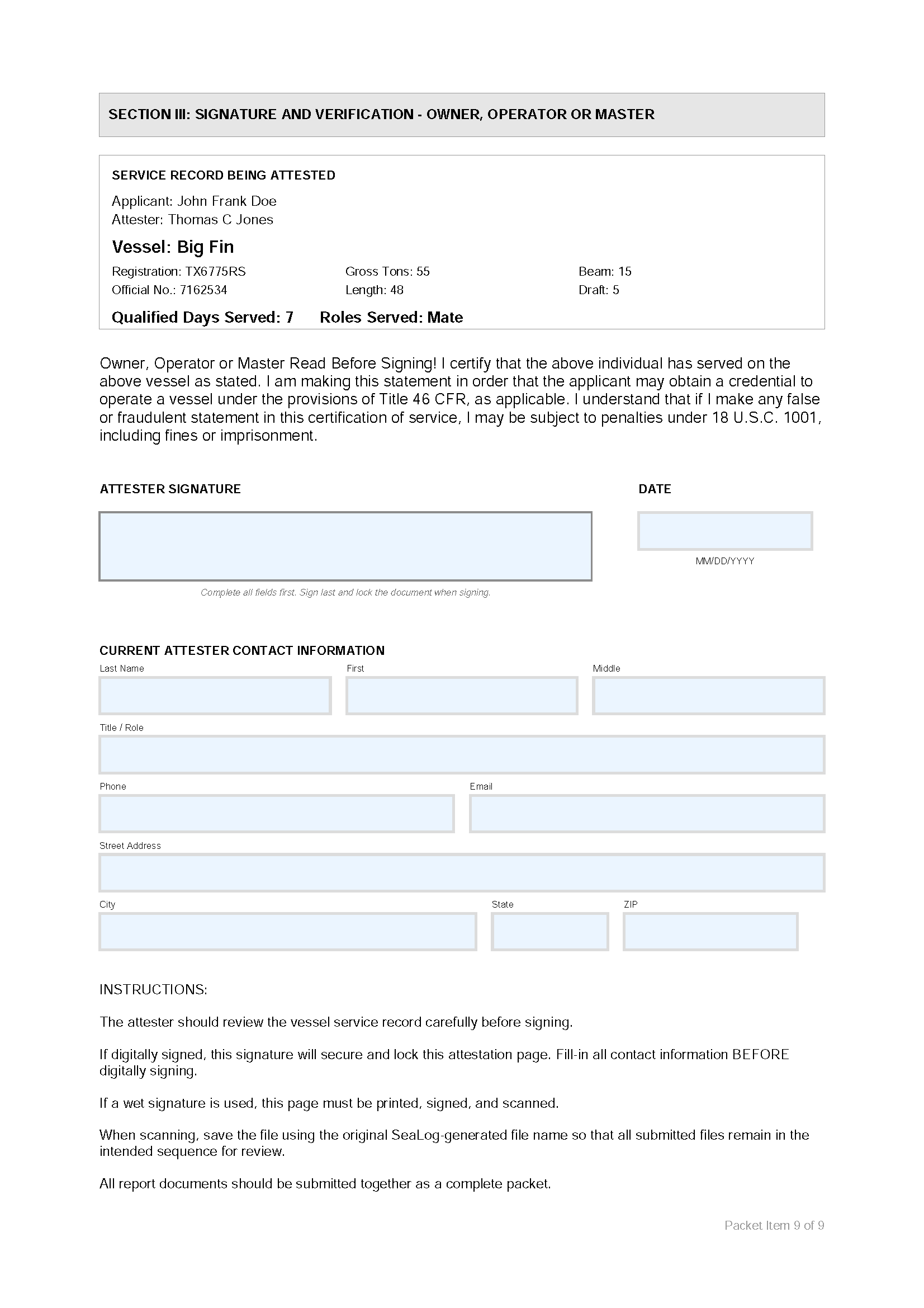
$PRO Export your service record to a PDF report "packet" that mirrors the required CG-719S format.
$PRO Export every trip to a Google Earth KMZ file and view your track history on a map.
Export every trip to a CSV file. Secure and manage your record.
Export your entire record to a system backup. Store this file on the cloud.
Import your system backup when needed.
All trips are organized by year-month-day, with a colored status.

$PRO Export your individual trip to a GPX format and load it into your chartplotter.
Export your individual trip to a CSV file with just GPS coordinates.
Export a single trip to a CSV file and secure and manage your record.
Review your trip status and the days that trip gave credit to.
Edit the date and time of any trip, or enter an entire trip where SeaLog was not used live.
Input required fields that apply to any of your trips. These fields are mandatory to complete your record and a trip can't be qualified without them.


Review the conditions snapshot you recorded during the trip.
Record the person that will attest to your sea time. This is a critical step. Collect the information you need to reach out to them to sign-off on your service on their vessel.
Keep track of the mobile phone number of your attester. The PDF report SeaLog prepares can be distributed by email or mobile device, then digitally signed in appropriate software.